
A truly seamless smart home is not built by buying gadgets, but by engineering a resilient network infrastructure with local control at its core.
- Wi-Fi alone creates network congestion; dedicated protocols like Zigbee are essential for reliability.
- A local hub like Home Assistant on a Raspberry Pi offers superior control, privacy, and resilience compared to cloud-dependent services.
Recommendation: Shift your mindset from consumer to home systems administrator. Prioritize local control, network segmentation, and proactive maintenance to build an ecosystem that is secure, reliable, and future-proof.
The promise of the smart home is a seductive one: a world of seamless automation where your lights, thermostat, and security systems work in perfect harmony. Yet, for many tech enthusiasts, the reality is a frustrating patchwork of incompatible devices, lagging Wi-Fi, and cloud services that fail the moment the internet connection drops. The common advice is to stick to one brand or to simply connect every new gadget to your Wi-Fi router. This approach, however, treats your home’s digital core like a toy box rather than the critical infrastructure it has become.
The truth is, building a robust IoT ecosystem is less about collecting devices and more about deliberate systems engineering. It requires a fundamental shift in thinking. Instead of asking “What new gadget can I buy?”, the right question is “How can I architect a network that is resilient, secure, and truly under my control?”. The secret isn’t found in a shopping cart, but in understanding the foundational layers of connectivity, control, and maintenance that separate a collection of smart things from a truly intelligent home.
This guide will deconstruct the engineering principles behind a high-performance IoT ecosystem. We will move beyond surface-level tips to explore the technical trade-offs between network protocols, the architectural choice between cloud and local control, and the disciplined maintenance required to ensure your smart home remains both smart and secure for years to come.
This article provides a detailed roadmap for engineering your smart home infrastructure. The following summary outlines the key systems and strategies we will cover to build a truly integrated and resilient automated environment.
Summary: A Guide to Engineering a Resilient Smart Home
- Why Buying Wi-Fi Devices Instead of Zigbee Can Clog Your Home Network?
- How to Configure Home Assistant on a Raspberry Pi for Total Control?
- Matter vs Proprietary Hubs: Which Standard Future-Proofs Your Smart Home?
- The Default Setting Vulnerability That Lets Hackers Access Your Cameras
- Cloud vs On-Premise: Which Infrastructure Offers Better Security for Sensitive Data?
- When to Update Firmware: The Maintenance Schedule for a Glitch-Free Home
- When to Adjust Your Thermostat: The Schedule That Saves 15% on Energy?
- How to Achieve Optimal Thermal Comfort in Older Homes Without Replacing the HVAC System?
Why Buying Wi-Fi Devices Instead of Zigbee Can Clog Your Home Network?
The most common mistake when starting a smart home is connecting every device—from smart bulbs to temperature sensors—directly to your Wi-Fi network. While convenient, this strategy fundamentally misunderstands the nature of home networking. Your Wi-Fi router, especially on the crowded 2.4GHz band, is designed for high-bandwidth tasks like video streaming and web browsing, not for managing dozens of low-data “chatty” IoT devices. Each device competes for airtime, creating network congestion that can slow down your entire network and make automations unreliable.
Protocols like Zigbee and Z-Wave were engineered specifically to solve this problem. They operate on different frequencies or use different channels to create a separate, low-power mesh network exclusively for your smart devices. In a mesh network, devices can relay messages to each other, extending range and improving reliability without burdening your Wi-Fi. This is not just theory; a recent 2024 study analyzing 24.6 million packets showed that Zigbee networks operate with significantly less congestion and packet loss than equivalent Wi-Fi-based IoT setups.
The architectural takeaway is clear: reserve your Wi-Fi bandwidth for devices that genuinely need it (laptops, streaming devices, high-resolution cameras) and offload the bulk of your sensors, switches, and bulbs to a dedicated mesh protocol. This network segmentation is the first principle of building a resilient IoT ecosystem.
Case Study: The Efficiency of a Dedicated Zigbee Network
A 20-day real-world deployment of 15 Zigbee devices in a smart home demonstrated remarkable stability and efficiency. The entire network of sensors and controls operated with an average data rate of just 516 bytes per second and a throughput of 4134 bits per second. This proves Zigbee’s ability to manage a robust device network without creating the network congestion and performance degradation commonly seen in smart homes that rely exclusively on Wi-Fi for all their devices.
Ultimately, choosing the right protocol is the foundational decision that dictates the stability and scalability of your entire smart home for years to come.
How to Configure Home Assistant on a Raspberry Pi for Total Control?
Once you’ve chosen the right protocols, the next architectural layer is the “brain” of your system. While proprietary hubs from major brands offer simplicity, they often lock you into a single ecosystem and rely on the cloud, creating a single point of failure. For total control, data privacy, and maximum interoperability, the gold standard is a local control hub like Home Assistant running on a dedicated low-power computer, such as a Raspberry Pi.
Setting up Home Assistant goes beyond a simple software installation. It’s an exercise in resilience engineering. The standard setup using an SD card is a common failure point due to the high volume of read/write operations from data logging. A professional-grade setup involves key hardware enhancements:
- Boot from an SSD: Use a solid-state drive instead of an SD card. SSDs are designed for high I/O and have far greater longevity, preventing the most common hardware failure.
- Implement a UPS: Connect your Raspberry Pi, router, and Zigbee/Z-Wave hubs to an Uninterruptible Power Supply (UPS). This ensures your core automations (like security and lighting) remain functional during short power outages.
- Automate Backups: Configure automated daily or weekly backups of your Home Assistant configuration to a separate location, like a network-attached storage (NAS) or cloud storage.
- Establish Physical Overrides: For critical automations, create physical Zigbee buttons or switches that can trigger them directly. This guarantees control even if the main interface is down and significantly improves the WAF (Wife Acceptance Factor).
This approach transforms your smart home from a fragile collection of cloud-dependent gadgets into a robust, self-sufficient system that you truly own and control.
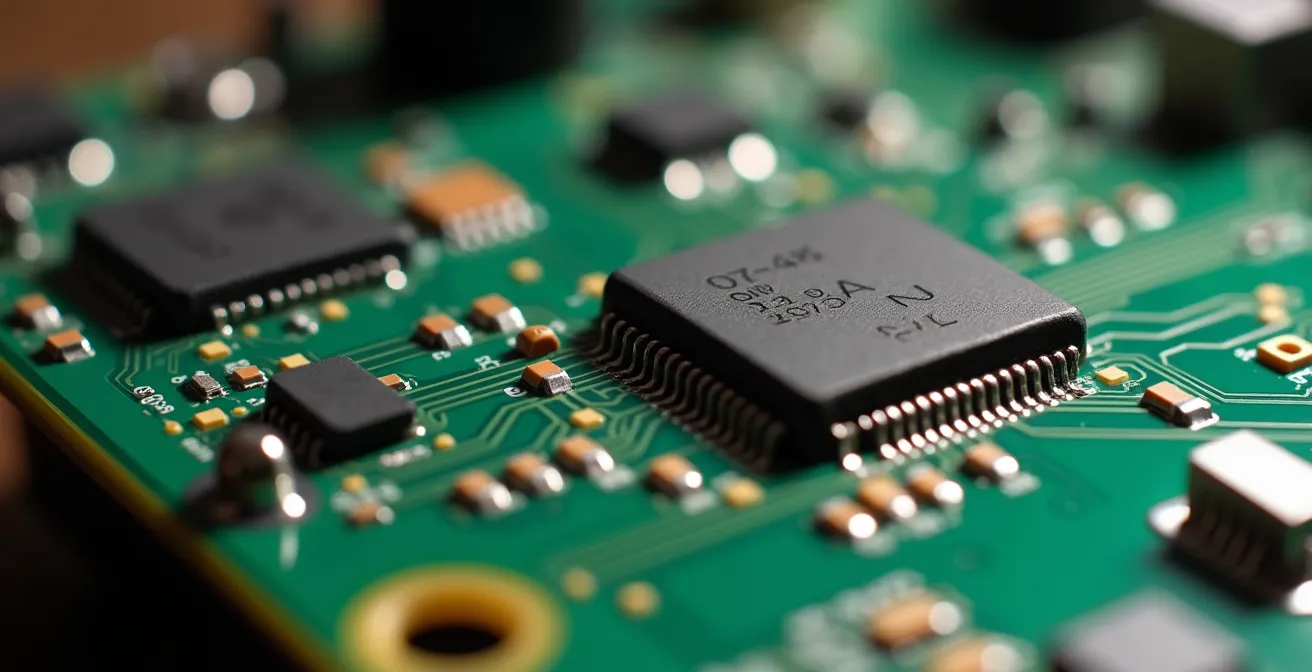
The intricate circuitry of a Raspberry Pi serves as a powerful reminder that a smart home’s foundation is not just software, but a carefully selected and configured hardware stack designed for reliability.
By treating your hub as a mission-critical server, you ensure that your home’s intelligence is robust, secure, and independent of any single company’s cloud infrastructure.
Matter vs Proprietary Hubs: Which Standard Future-Proofs Your Smart Home?
For years, the smart home world has been fragmented by competing, incompatible standards. Choosing a proprietary hub meant locking yourself into a specific brand’s ecosystem, limiting device choice and risking your entire setup becoming obsolete if the company changes direction. The arrival of Matter, a new, open-source connectivity standard backed by major tech players like Apple, Google, and Amazon, represents a seismic shift toward universal interoperability.
Matter doesn’t replace protocols like Wi-Fi and Thread (a mesh network protocol similar to Zigbee); it acts as a universal application layer on top of them. This means a Matter-certified device can communicate with any other Matter-certified device, regardless of the manufacturer. This breaks down the walled gardens of proprietary ecosystems and provides true freedom of choice. According to the Connectivity Standards Alliance, the organization behind the standard, the ecosystem is growing rapidly, with projections of over 500 Matter-certified devices expected by 2026.
While proprietary hubs may still offer unique features, basing your long-term strategy on an open standard like Matter is the most effective way to future-proof your investment. It ensures that the devices you buy today will continue to work with the devices and platforms of tomorrow.
| Protocol | Interoperability | Power Usage | Range | Future-Proofing |
|---|---|---|---|---|
| Matter | Universal (500+ devices by 2026) | Variable | Depends on underlying protocol | Excellent – backed by major players |
| Zigbee | Fragmented ecosystem | Ultra-low | 10-100m | Good – open standard |
| Z-Wave | All devices compatible | Very low | 100m+ | Moderate – single vendor control |
| Proprietary Hubs | Limited to brand | Variable | Variable | Poor – vendor lock-in risk |
Adopting a Matter-centric approach doesn’t mean abandoning existing Zigbee or Z-Wave devices. Modern hubs, especially Home Assistant, can act as a bridge, bringing all your devices, old and new, under one unified, future-proof control system.
The Default Setting Vulnerability That Lets Hackers Access Your Cameras
An IoT ecosystem is only as strong as its weakest link. The single most pervasive vulnerability across all smart devices, from cameras to light bulbs, is the reliance on default factory settings. Many devices ship with predictable administrative usernames and passwords (like “admin/admin”) or with insecure features like Universal Plug and Play (UPnP) enabled by default. UPnP is designed for convenience, automatically opening ports on your firewall, but it can create an open door for hackers to access your internal network.
Hardening your devices is a non-negotiable step in securing your home. This involves a systematic audit and reconfiguration of every device you add to your network. Your goal is to move from a posture of default trust to one of “zero trust,” where every device is treated as a potential threat until it is properly secured. Key hardening practices include:
- Change All Default Passwords: This is the first and most critical step. Replace all default credentials with strong, unique passwords immediately upon setup.
- Disable UPnP and P2P Features: Turn off any feature that automatically modifies your firewall or allows direct peer-to-peer connections from the outside world.
- Isolate Devices on a VLAN: Create a separate Virtual LAN (VLAN) for your IoT devices. This acts as a digital sandbox, so even if one device is compromised, the attacker cannot easily access your main network with sensitive data like laptops and phones.
- Enable End-to-End Encryption: Wherever possible, choose devices and services that offer end-to-end encryption for their data streams, especially for cameras and microphones.
As the Aqara Security Team advises in their Smart Home Security Guide:
Choose devices with end-to-end encryption and regularly update software to protect against hacks.
– Aqara Security Team, Smart Home Security Guide
Failing to address these default vulnerabilities is like leaving your front door unlocked. It’s an open invitation for intruders, turning your smart home into a significant security liability.
Cloud vs On-Premise: Which Infrastructure Offers Better Security for Sensitive Data?
A core architectural decision in your smart home design is where your data lives and where your automations are processed. The choice between a cloud-based infrastructure and a local, on-premise one involves a fundamental trade-off between convenience and control. Cloud-based systems are easy to set up but require a constant internet connection and force you to entrust your data to a third party. An on-premise system, like Home Assistant, offers data sovereignty and resilience but demands more technical management.
From a security perspective, neither is inherently “better”; they simply have different risk profiles. A cloud provider might have a world-class security team, but they are also a massive target for large-scale attacks, and a breach could expose the data of millions of users. Furthermore, your system’s functionality is entirely dependent on the provider’s servers remaining online. If the internet goes down, your automations stop working.
An on-premise system puts security and maintenance squarely in your hands. The primary risks become misconfiguration and failure to apply security patches. However, it offers a powerful advantage: local control. Your automations run inside your home, independent of the internet, and your sensitive data—like camera feeds or occupancy patterns—never has to leave your local network. This dramatically reduces your exposure to external breaches and gives you complete ownership of your personal information.
This table outlines the key security trade-offs for each model, based on a risk assessment framework detailed in an analysis from SCAND’s IoT research team.
| Aspect | Cloud Infrastructure | On-Premise | Hybrid Model |
|---|---|---|---|
| Main Risks | Provider breaches, account takeover | Misconfiguration, unpatched software | Complex management |
| Internet Outage Impact | Complete system failure | Local control maintained | Partial functionality |
| Data Control | Third-party custody | Full ownership | Selective control |
| Maintenance Burden | Provider managed | User responsibility | Mixed responsibility |
| Scalability | Excellent | Limited by hardware | Flexible |
For most tech enthusiasts seeking a truly robust and private smart home, a hybrid approach often provides the best balance: using an on-premise hub for all critical automations and sensitive data, while selectively using cloud services for non-essential conveniences like voice assistants.
When to Update Firmware: The Maintenance Schedule for a Glitch-Free Home
In the world of IoT, firmware is the embedded software that runs your devices. Updates are crucial, as they can patch security vulnerabilities, fix bugs, and sometimes add new features. However, treating firmware updates as a simple, “click-and-forget” task is a recipe for disaster. A hastily applied update can introduce new bugs, break existing automations, or, in the worst-case scenario, “brick” a device, rendering it permanently unusable.
A professional approach treats firmware maintenance as a scheduled, strategic process, not a reactive one. Instead of blindly applying every update as it’s released, you should implement a tiered update strategy. This involves categorizing updates based on their importance and risk, and creating a disciplined schedule for their deployment.
A robust update schedule might look like this:
- Critical Security Updates: These should be applied almost immediately, but only after you’ve made a backup of your device’s configuration.
- Major Feature Updates: Never be the first to install these. It’s wise to wait a week or two and check online forums and communities for user-reported issues before proceeding.
- Minor Bug Fixes: These are the lowest priority. Batch them together and apply them during a scheduled monthly maintenance window, such as the first Saturday of the month.
Before any update, it’s essential to read the changelog to understand what’s being modified and to have a recovery plan in place, which includes knowing how to access the device’s recovery mode or roll back to a previous firmware version if something goes wrong.

Just as you would schedule physical maintenance for your home, planning your digital maintenance on a calendar transforms a reactive, risky task into a controlled, proactive process that ensures long-term stability.
This disciplined, scheduled approach to maintenance is a hallmark of a mature and resilient IoT ecosystem, preventing glitches and ensuring your smart home remains a source of convenience, not frustration.
When to Adjust Your Thermostat: The Schedule That Saves 15% on Energy?
One of the most tangible benefits of a well-engineered IoT ecosystem is its potential for significant energy savings, particularly through smart climate control. A traditional thermostat maintains a static temperature, while a smart thermostat, integrated into a wider ecosystem of sensors, can make dynamic adjustments based on real-time data. In fact, energy monitoring data reveals that Americans waste 283 kWh monthly on average, and implementing a smart schedule can reduce this HVAC-related waste by up to 15%.
Achieving these savings isn’t about simply setting a schedule; it’s about creating a set of intelligent automation rules that respond to actual living patterns. A truly smart thermostat leverages data from across your entire IoT network to make informed decisions. The most effective strategies go far beyond a simple time-based schedule:
- Geofencing: The system automatically adjusts the temperature to an energy-saving “away” mode when the last person’s smartphone leaves the home’s geofenced area, and pre-cools or pre-heats the house when the first person begins their journey back.
- Window/Door Sensor Integration: Create a rule that prevents the HVAC system from running if any window or door has been open for more than a few minutes.
- Occupancy-Based Zoning: Using motion sensors, the system can learn which rooms are unused for extended periods (e.g., a home office over the weekend) and automatically reduce heating or cooling in those specific zones.
- Weather API Integration: By connecting to a weather forecast API, the thermostat can pre-cool the house ahead of a predicted heatwave, running the AC during cheaper off-peak electricity periods.
These dynamic rules, powered by a central hub like Home Assistant, transform the thermostat from a dumb device into an intelligent agent actively working to optimize comfort and minimize energy consumption based on real-world conditions.
This level of intelligent automation demonstrates the true power of a connected ecosystem, turning data from disparate sensors into actionable intelligence that delivers concrete financial savings.
Key Takeaways
- A robust smart home is an engineered network infrastructure, not a collection of gadgets.
- Prioritize local control with hubs like Home Assistant to ensure resilience, privacy, and independence from cloud services.
- Adopt a disciplined, scheduled approach to security hardening and firmware maintenance to prevent vulnerabilities and instability.
How to Achieve Optimal Thermal Comfort in Older Homes Without Replacing the HVAC System?
One of the greatest challenges in home automation is retrofitting older homes, which often suffer from poor insulation, inefficient single-pane windows, and unbalanced HVAC systems. These factors create “micro-climates” where one room is freezing while another is uncomfortably warm. The conventional solution—a full HVAC replacement—is prohibitively expensive. However, a well-engineered IoT ecosystem offers a far more surgical and cost-effective solution: micro-climate management.
Instead of relying on a single thermostat in a hallway, this strategy involves deploying a network of inexpensive temperature and humidity sensors throughout the home to map its unique thermal landscape. By analyzing this data, you can identify problem zones and deploy targeted actuators to correct imbalances. This might involve installing smart vents to control airflow to specific rooms, using smart plugs to automate portable fans or space heaters, and integrating motorized blinds to manage solar heat gain during the day.
Case Study: Smart Climate Zoning in a 1950s Home
A retrofit project in a mid-century home used a network of LoRa-enabled temperature sensors to precisely map its thermal variations. The data revealed consistent 5-degree temperature differences between rooms. By deploying a combination of smart vents to redirect airflow, smart plugs to control supplemental space heaters, and automated ceiling fans based on real-time occupancy and temperature data, the homeowners achieved uniform comfort across the entire house without undertaking a costly HVAC replacement, while also reducing overall energy use.
This data-driven approach allows you to achieve a level of comfort and efficiency that a traditional, “dumb” HVAC system could never deliver. It is the ultimate expression of a smart home: using a network of sensors and actuators, coordinated by a central intelligence, to solve a complex real-world problem.
Action plan: your micro-climate management strategy
- Deploy temperature/humidity sensors in all rooms to map the thermal landscape and identify problem zones.
- Analyze the collected data over a week to pinpoint consistent temperature variations and their causes (e.g., sun exposure, poor airflow).
- Install smart thermostat vents in over-heated or over-cooled rooms to dynamically control airflow from the central HVAC system.
- Add smart switches or plugs to ceiling fans and portable heaters/fans to automate air circulation and supplemental heating in problem areas.
- Create room-specific automation rules in your central hub (e.g., “If office is occupied and temperature > 24°C, turn on fan”).
By shifting from a brute-force approach to a precise, data-driven one, you can solve long-standing comfort issues in any home, proving that the smartest solution is not always the most powerful, but the most intelligent.